Plugins › Effects
Fisheye
A glassy fisheye bubble lens for any clip. Drag it on and it fits itself to the frame.
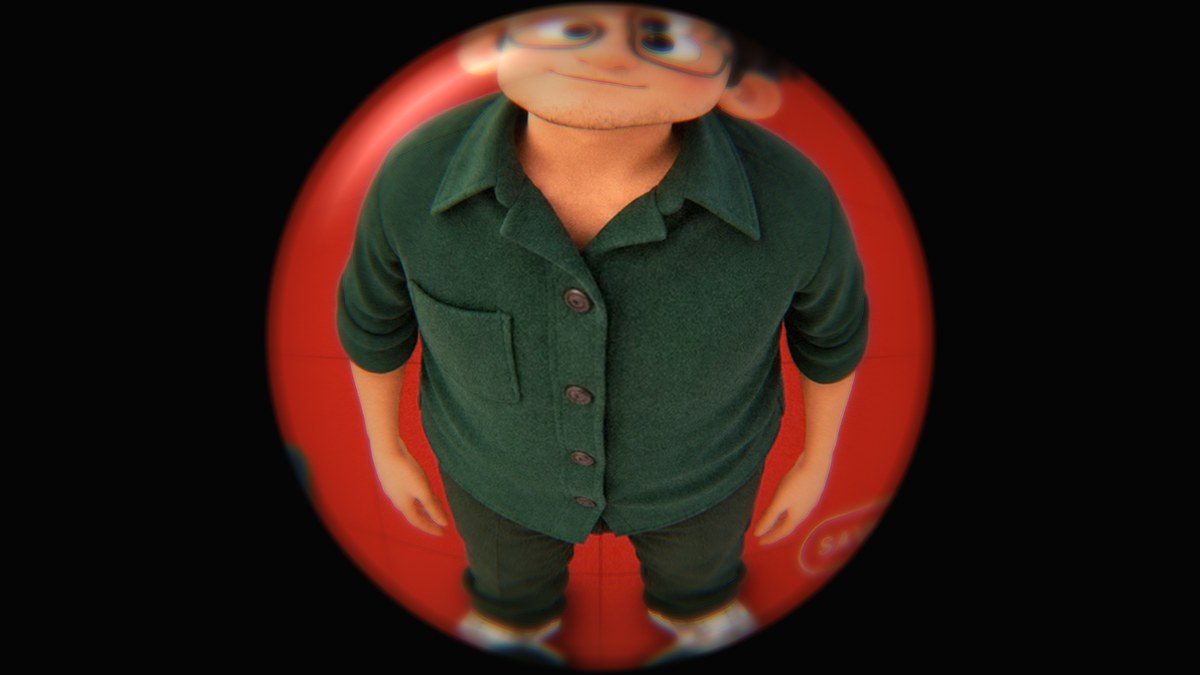
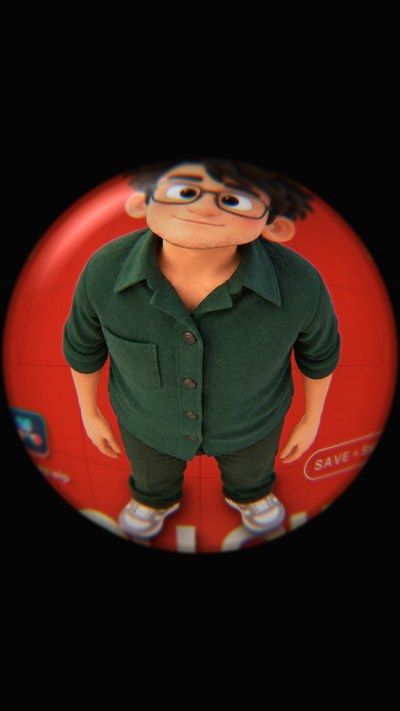
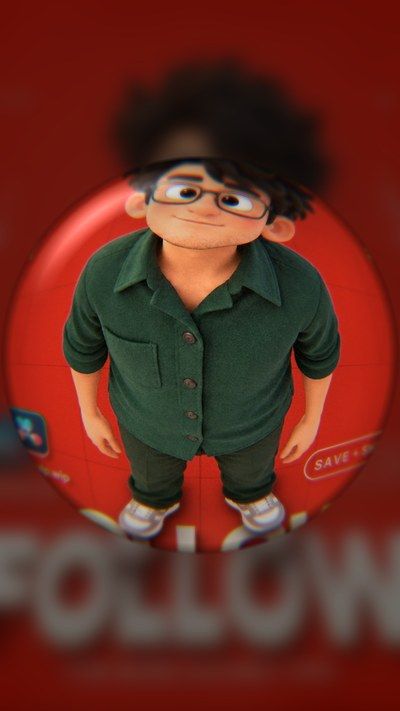
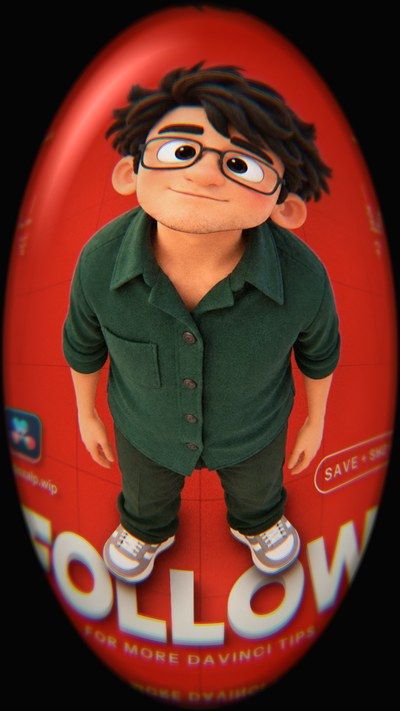
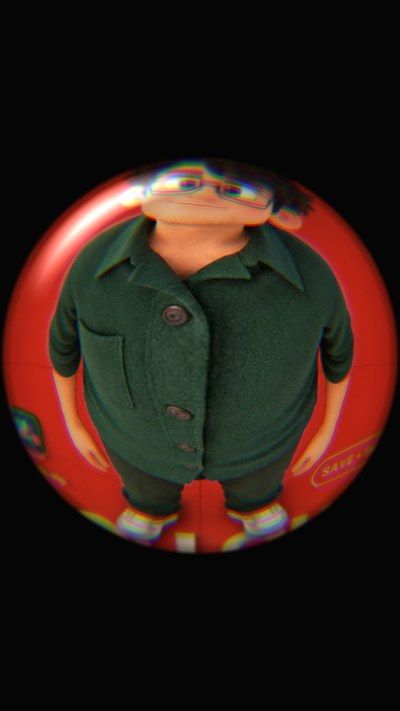
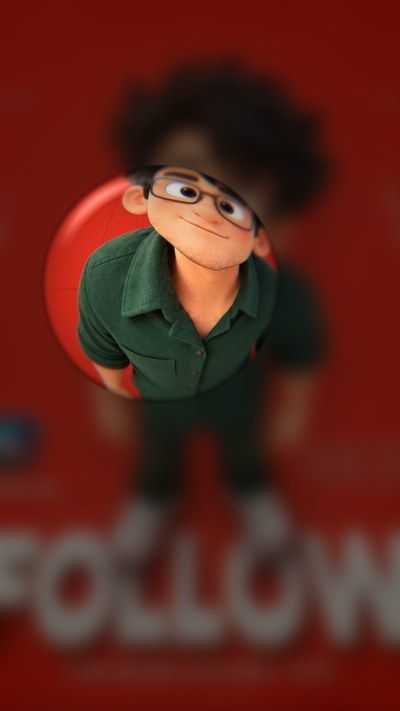
Default · blurred outside · oval fit · strong glass · small lens
What it is
What it does
Turns any clip into a curved glass bubble: the middle bulges out, the edges bend, and the rim gets real-glass details like rainbow fringing, edge blur, inner shading, a dark rim and a soft reflection. Outside the bubble you choose black, a blurred copy of the video, or the original. It reads the clip's size, so it works on 9:16, 16:9, 4:5 or square without touching anything.
- Fits any frame shape on its own: 9:16, 16:9, 4:5, square
- Circle or full-frame oval, so there are no black bars
- Real-glass rim: rainbow fringe, edge blur, shading and a reflection
- Outside the lens: solid colour, blurred video or the original
- Optional pop-in animation with Smooth, Snappy, Bouncy or Elastic easing
- Effect Amount slider to blend with the original clip
Use it for
- Skate, street and fashion-style shots
- Funny close-ups and reaction shots
- Music videos and transitions
- Making a still frame feel playful
Tips
- Fit To Frame 1 fills the whole frame with an oval: no black bars.
- Fill › Blurred Video looks great on vertical reels.
- Field Of View above 1.3 squeezes more of the scene into the bubble.
- Animate In at 8–15 frames with Bouncy makes the lens pop open at the start of the clip.
- Keep Chromatic Fringe low (0.02–0.04) for realism, high for a stylised look.
Install · about a minute
Four steps
- 01
Unzip the download, then double-click the .drfx file inside. Resolve installs it for you.
- 02
Restart DaVinci Resolve.
- 03
On the Edit page, open Effects › Effects › anukalp.wip.
- 04
Drag it onto your timeline, select it, and change everything in the Inspector.
Double-click doesn't work? Copy the .drfx into ~/Library/Application Support/Blackmagic Design/DaVinci Resolve/Fusion/Templates/ on Mac, or %APPDATA%\Blackmagic Design\DaVinci Resolve\Support\Fusion\Templates\ on Windows, then restart Resolve.
Troubleshooting
If something's off
- It isn't in the Effects library. Restart Resolve after installing. Still missing? Use the manual install path above.
- It looks different from the demo. Check you're on Resolve 21, then compare your Inspector settings with the defaults in the guide.
- Known issues: none reported for this version yet.
Compatibility & releases
Version 1.0.0
| Works on | macOS, Windows |
|---|---|
| DaVinci Resolve | 21 (tested) · Free and Studio |
| Released | 15 Oct 2026 |
| Download | anukalp.wip-Fisheye-1.0.0.zip · 1.0 MB |
| SHA-256 | 139206833ff7f8fa0617ad799e5bb7966e195630e49857574b6f2177e4a60704 |
Release history
- 1.0.0Current15 Oct 2026 · 1.0 MB
- First release: 25 controls, oval fit, glass rim, three outside fills, pop-in animation.
A version's file is never swapped. Fixes always come as a new version number.
Free download · 1.0 MB
Get Fisheye
Enter your email and we'll send a download link. Already confirmed for another plugin? Same address, no new steps.